Beacon Simulator1.5.1
Publisher Description
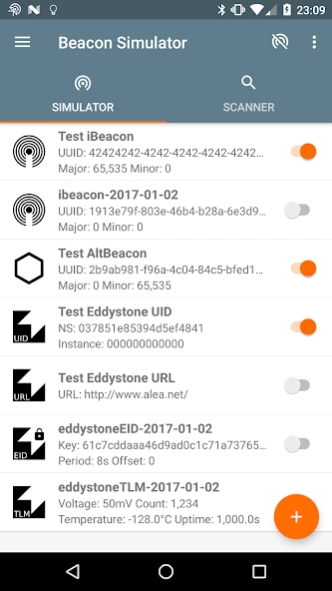
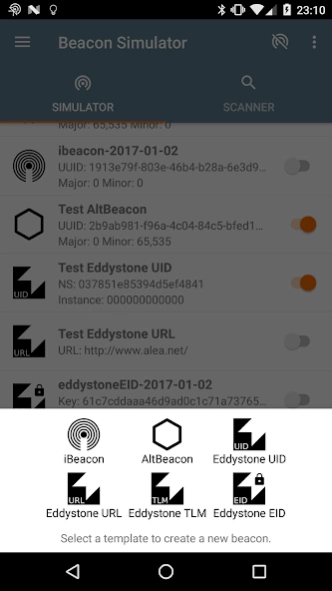
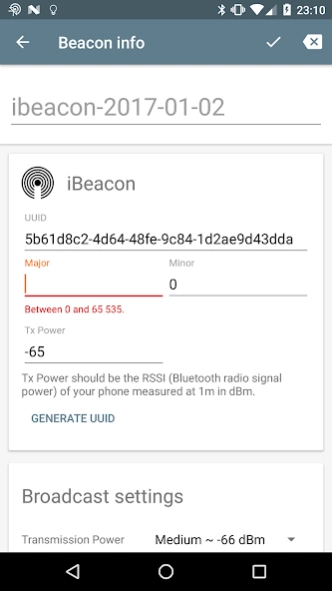
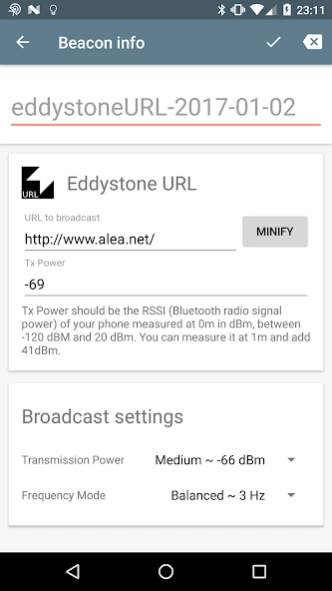
Broadcast Bluetooth Low Energy beacons. iBeacon,Eddystone & AltBeacon supported.
Bluetooth Low Energy (BLE) beacon simulator.
This app transforms your Android device into a virtual BLE beacon advertiser and transmitter. You can create your own collection of beacon configurations and use them anytime, anywhere, to emulate a physical beacon.
Its purpose is essentially to help developers working on beacon software with more flexibility than with some real beacons.
Current features:
- Broadcast and advertise iBeacon, AltBeacon, Eddystone
- Eddystone support for: URL, UID, unencrypted TLM (telemetry), EID (Ephemeral ID)
- Create, edit, manage and save your beacon configurations
- Background broadcast
- Scan of nearby beacons, copy of their configuration
- Check tool to know how many broadcast is possible on your phone
- In English and French
Android limitations:
- the MAC address is automatically managed by Android, and will change for each new EID rotation
- not possible to broadcast several different frames with a same MAC address
- broadcast capability depends on your phone, you can use the check tool to know what is possible for you
Other limitations:
- TLM data are static in time
- Scan is not a main feature of the app for now, just an helper
Permissions are for:
- bluetooth: scan, broadcast using Bluetooth
- location: unfortunately, required by Android to perform a Bluetooth scan
- internet: for log collection in case of crashes and statistics about usage
About Beacon Simulator
The company that develops Beacon Simulator is Vincent Hiribarren. The latest version released by its developer is 1.5.1. This app was rated by 2 users of our site and has an average rating of 4.8.
To install Beacon Simulator on your Android device, just click the green Continue To App button above to start the installation process. The app is listed on our website since 2019-03-23 and was downloaded 141 times. We have already checked if the download link is safe, however for your own protection we recommend that you scan the downloaded app with your antivirus. Your antivirus may detect the Beacon Simulator as malware as malware if the download link to net.alea.beaconsimulator is broken.
How to install Beacon Simulator on your Android device:
- Click on the Continue To App button on our website. This will redirect you to Google Play.
- Once the Beacon Simulator is shown in the Google Play listing of your Android device, you can start its download and installation. Tap on the Install button located below the search bar and to the right of the app icon.
- A pop-up window with the permissions required by Beacon Simulator will be shown. Click on Accept to continue the process.
- Beacon Simulator will be downloaded onto your device, displaying a progress. Once the download completes, the installation will start and you'll get a notification after the installation is finished.
Program Details
System requirements
Download information
Pricing
Version History
version 1.5.1
posted on 2019-03-23
IMPORTANT: this release is due to the suppression of the previous one by Google. It forces me to package it differently, and may introduce some bugs I am not aware of.
1.5.1
Attempt to fix a random crash at broadcast start.
1.5.0
- removed crash analysis tool to comply with the developer distribution agreement
- update to newer compilation SDK so the app can be deployed on the store again
- replaced Google URL shortener by Bit.ly shortener, due to end of maintenance by Google.
version 1.1.2
posted on 2016-07-25
Version 1.1.2,- rollback on the correction of the hyphen (harmless bug) since it can cause weird behaviors,Version 1.1.1,Fixed:,- Crash for some provided values in AltBeacon format,- Hyphen could sometimes not be deleted in iBeacon & AltBeacon text input,- Better selection zone to enable/disable broadcast
